How to Get an AI Chatbot for Your Website
TL;DR: An AI chatbot is a 24/7 assistant on your website that answers treatment questions, captures enquiries, qualifies leads, and books consultations straight into your calendar. The fastest way to get one is a done-for-you setup: book a discovery call, train it on your clinic's services and policies, connect it to your website and calendar, test the booking flow, then launch.

If you run a medical spa, aesthetic clinic, or wellness practice, your website should do more than look good — it should turn visitors into booked consultations.
Most people who land on your site are already interested. They're comparing Botox, fillers, skin treatments, or laser, and they have questions before they feel comfortable booking. The problem is that many of them don't want to wait for a callback, fill in a contact form, or read through pages of information to get one answer. If they don't get it quickly, they move on to the next clinic.
That's where an AI chatbot helps — and you can try a live one we built for clinics to see exactly what visitors would experience.
What Is an AI Chatbot for a Clinic Website?
An AI chatbot for a clinic website is an automated assistant that talks to visitors in plain language — answering treatment questions, collecting their details, and booking consultations — without a staff member needing to be online.
Unlike a basic pop-up or a scripted FAQ box, a modern AI chatbot understands what people actually ask and replies using your clinic's real information: your treatments, your prices (if you choose to share them), your opening hours, and your booking rules. It works the same at 9am on a Tuesday as it does at 11pm on a Sunday.
Why Medical Spas and Clinics Need Faster Website Responses
One of the biggest reasons website visitors never become booked consultations is slow response time. Someone visits after hours, on a weekend, or during a quick lunch break, wants an answer now, and quietly leaves when they don't get one.
Leads usually get lost when there's:
- No reply after hours or over weekends and public holidays
- A slow response from busy front-desk staff during the day
- A contact form that feels like effort, with no instant answer
- No clear explanation of which treatment is right for them
- Too much reliance on a phone call the visitor doesn't want to make yet
For aesthetic clinics, speed and clarity decide who gets the booking. A person interested in a treatment usually has questions first — about the process, the consultation, recovery time, or whether they're even a good fit. Answer those in the moment and they book. Leave them waiting and they don't.

What an AI Chatbot Can Do on a Clinic Website
A well-built chatbot is not just a pop-up message box. It works like a smart front-desk assistant that never clocks off.
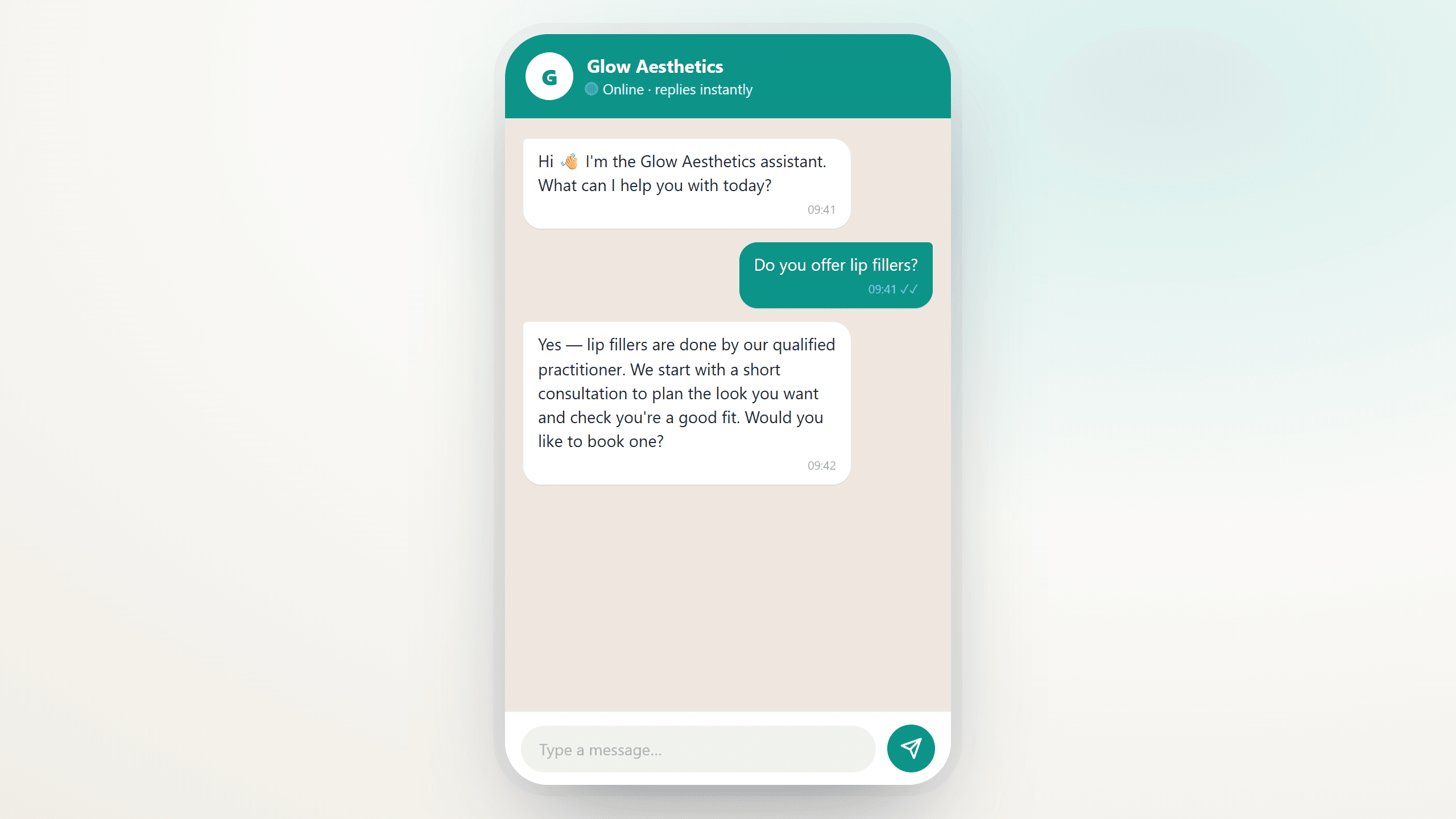
1. Answer treatment questions
Visitors can ask about Botox, fillers, skin treatments, laser, facials, body treatments, or wellness services. The chatbot gives clear, helpful explanations based on your clinic's actual services, FAQs, and policies — not generic answers it found on the internet.
2. Capture lead details
Instead of a long contact form, the chatbot collects information naturally, one question at a time: first name, phone number, email, treatment interest, and preferred time. It feels like a conversation, not paperwork.
3. Qualify the enquiry
Not every visitor is ready to book. The chatbot asks a few simple questions to understand what the person wants, whether they're after a consultation or a treatment, and how soon they'd like to come in — so your team can focus on the better-quality enquiries.
4. Book appointments
Once the visitor is ready, the chatbot guides them to a booking. Connected to your calendar, it offers your real available slots and secures the consultation while the person is still interested.
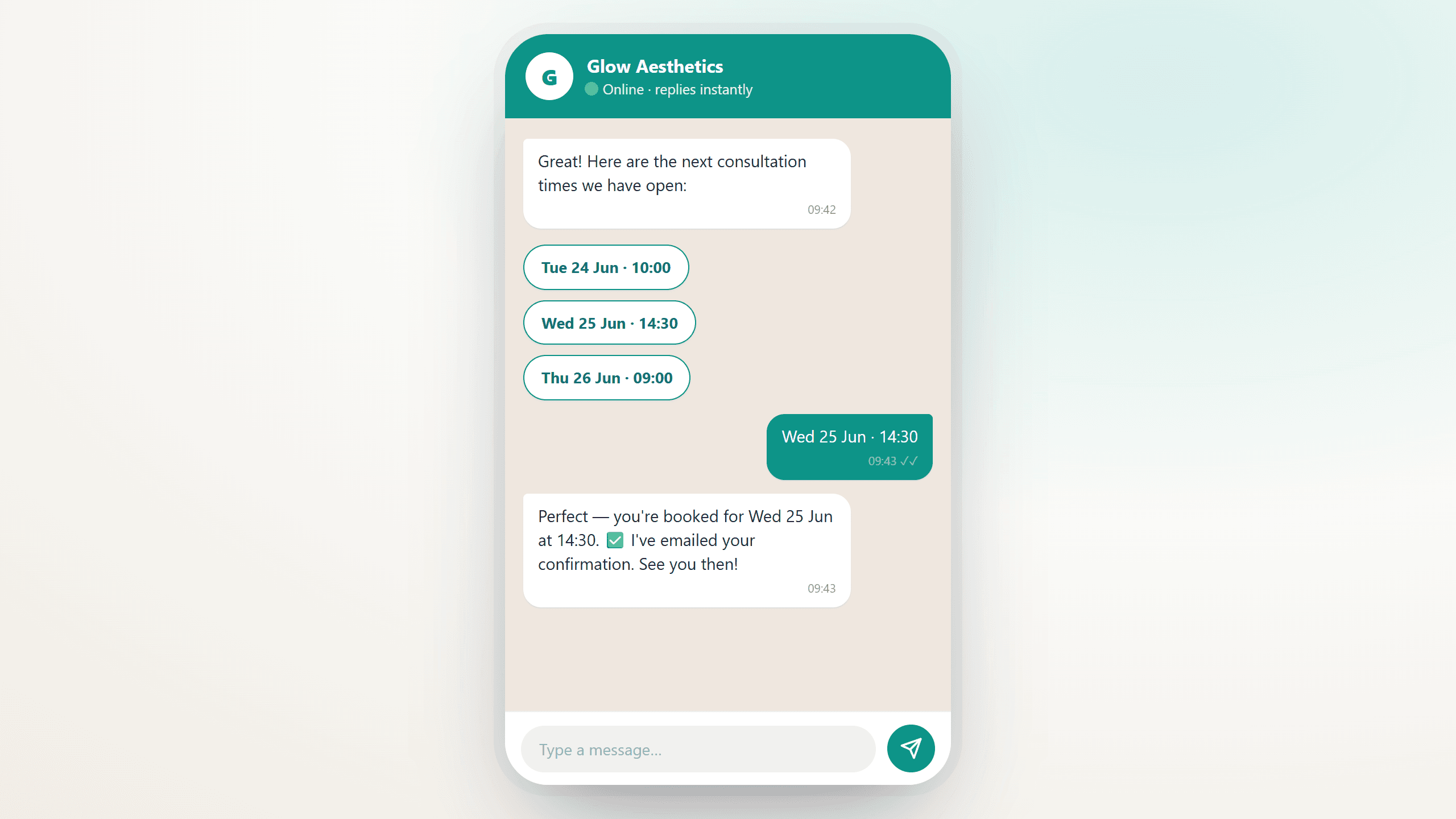
5. Confirm bookings
After the appointment is booked, the chatbot sends confirmation details so the client knows exactly what to expect. That single message reduces no-shows and confusion.
6. Follow up with no-replies
Many leads don't book the first time. An AI chatbot can send gentle follow-ups, nudging people to finish their booking or continue the conversation — recovering leads that would normally go cold.
Chatbot vs the usual ways visitors reach you
Here's how an AI chatbot compares to the two channels most clinics rely on today:
| What matters | AI chatbot | Contact form | Phone / callback |
|---|---|---|---|
| Responds instantly | Yes | No | Only in office hours |
| Works after hours & weekends | Yes | Collects, but no reply | No |
| Answers treatment questions | Yes | No | If someone's free |
| Books the consultation | Yes, in the chat | No | Sometimes |
| Effort for the visitor | Low | Medium | Medium–high |
How to Get an AI Chatbot on Your Website
The best way for most clinics is a done-for-you setup, so you're not left wrestling with software. Here's the process we use to get a chatbot live and booking.
Step 1: Book a discovery call
Start with a discovery call to understand your clinic, your services, your booking process, and the kind of enquiries you get. This defines what the chatbot should handle and what should be passed to a human team member.
Step 2: Train the chatbot on your business
The chatbot should be trained on your clinic's real information — services and treatments, the consultation process, FAQs, pricing guidance (if you share it), opening hours, booking rules, location, policies, and staff handover instructions. The more relevant the information, the more useful it becomes.
Step 3: Connect it to your website
Once built, the chatbot is added to your site so visitors can start chatting straight away. This gives your website a clear path to a booking instead of relying on a contact page alone. It also becomes part of a bigger AI automation setup, where enquiries, lead capture, follow-ups, and bookings can happen automatically in the background. If your site needs work first, that's part of what good clinic web design sorts out.
Step 4: Connect it to your calendar
If you want the chatbot to book appointments, connect it to your calendar or booking system. It can then offer real open slots and guide visitors to confirmed consultations — exactly like the live demo does.
Step 5: Test the booking flow
Before going live, test the full conversation: how it answers questions, collects details, qualifies leads, offers appointment options, confirms bookings, and hands over to staff when needed.
Step 6: Launch and improve
Once live, the chatbot starts helping visitors immediately. Over time, you improve it based on real conversations, common questions, and missed opportunities.
Turn More Website Visitors Into Booked Consultations
An AI chatbot doesn't replace your team — it backs them up. It answers faster, captures more enquiries, guides people toward booking, and quietly recovers the leads that used to disappear because nobody replied in time.

For more on the ROI side of this decision, see How a 24/7 AI Assistant Pays for Itself in Your Clinic — it walks through the break-even math in Rand terms. And for the why behind so many missed clinic bookings, see Why Your Clinic Loses Patients Between 5pm and 9am. If empty chairs are the symptom you're trying to solve, How to Reduce No-Shows in Your Aesthetic Clinic shows how deposits, reminders, and one-tap rescheduling cut the no-show rate in half.
If your site gets visitors but not enough bookings, it's worth finding out why. Sometimes the chatbot is the fix; sometimes it's the website around it. A free website audit shows you where bookings are leaking, our recent builds show what a conversion-focused clinic site looks like, and our guide to a proper website audit in South Africa explains what to check first.
Want to see it for yourself? Try the live clinic demo — ask it anything, watch it book a slot — then book a discovery call and we'll set one up for your clinic.
Grey Matter Consulting is an AI automation studio based in Gqeberha (Port Elizabeth). We build AI assistants, custom apps, and business automation for South African businesses — and the websites that support them.
For more on this, see What Patients Actually Want When They Visit a Clinic Website.
For more on this, see How to Book More Consultations Without Hiring More Staff.
For more on this, see Why Do Property Leads Go Cold?.
For more on this, see What Should a Property Chatbot Never Do?.
Frequently Asked Questions
How much does an AI chatbot for a website cost? It depends on how much you want it to do — answering questions is simpler than booking into your calendar and following up. We scope it on a quick discovery call and quote a fixed setup, so there are no surprises.
Can the chatbot book appointments into my calendar? Yes. Once it's connected to your calendar or booking system, it offers your real open slots, takes the booking inside the chat, and sends a confirmation — so visitors book while they're still interested.
Will an AI chatbot replace my receptionist? No. It handles repetitive questions and after-hours enquiries, then hands over to your team for anything sensitive or complex. Your staff spend their time on better-qualified leads instead of answering the same questions all day.
Is an AI chatbot safe for a medical or aesthetic clinic? Yes, when it's set up properly. It's trained only on your approved information, it avoids giving medical advice, and it passes anything clinical to a qualified team member. You decide what it can and can't say.
How long does it take to set up an AI chatbot? Most clinic chatbots are live within a week or two, depending on how much information they need and whether they connect to your calendar. The discovery call and training are the main steps.